







Platform
Marketplace

Where your AI
ecosystem grows.

Everything your team builds in Team Assistant lives in the Marketplace. Share with your organization, control who can do what, and watch your AI capabilities compound.

Start FreeBook a Demo
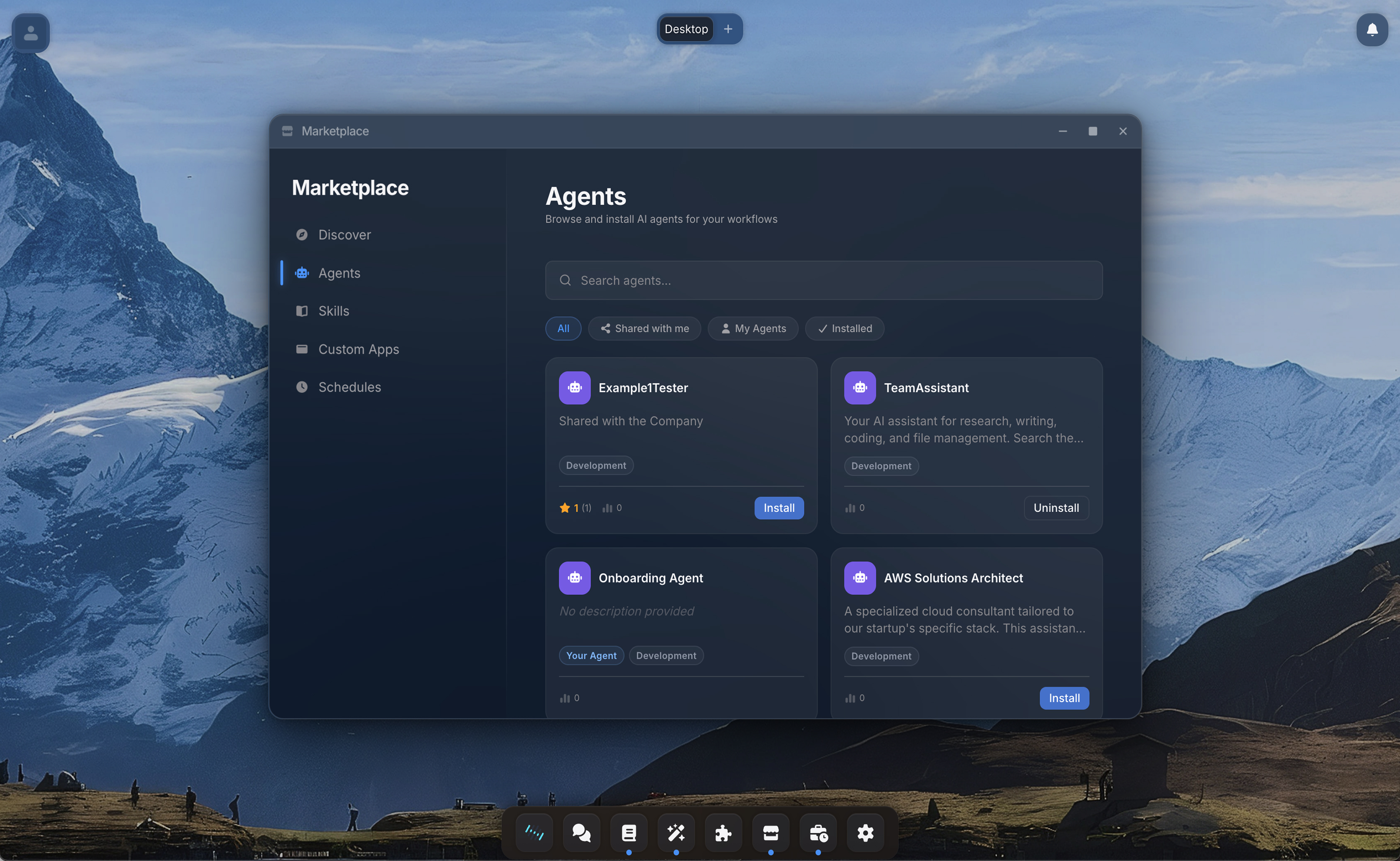
Marketplace with agents, skills, apps, and connections
Vaults
Agent Studio
Apps
Computer
Connections
Desktop
Marketplace
Scheduled
Security
Marketplace
Capabilities

Build your AI ecosystem together.

Share, discover, and improve AI capabilities across your entire organization.

01

Everything your team builds, in one place.

Agents, skills, apps, connections, and vaults. Every resource anyone creates is listed in the Marketplace. Browse by category, search by name, or filter by type. See what your colleagues have built and what is available to you.

02

Share with precision.

The owner of any resource decides exactly who can access it and what they can do. Let someone use your agent without seeing the system prompt. Invite a colleague to co-edit a skill. Share a connection with the entire organization. Every permission is granular and revocable.

UseEditShareDelete
SR
MK
JF
03

See what you can access. See who can access yours.

The Marketplace is your visibility layer. As a user, you see every resource available to you in one place. As a creator, you see exactly who has access to your work and what permissions they have.

Expense Reporter
Agent
Meeting Summarizer
Skill
Time Tracker Dashboard
App
04

Review, discuss, improve together.

Every resource has ratings and reviews from people in your organization who actually use it. Leave feedback, suggest improvements, track versions. When a creator publishes an update, everyone with access sees it and can update with one click.

SR
I love it!
MK
Super helpful!
4.0
v2.3
Latest version
How It Works

From one person's work to organizational capability.

1

Build something useful

Create an agent, write a skill, configure a connection, or deploy an app. Anything you build in Team Assistant can be shared.

2

Publish to the Marketplace

Toggle "Publish" and choose who can see it: specific people, a group, or your entire organization. Set permissions for each audience.

3

Your team discovers and installs

Colleagues find your resource in the Marketplace, read reviews, and install with one click. Agents are cloned, skills are copied to their vault, apps appear in their dock.

4

It gets better over time

Users leave reviews and suggestions. You publish updates. Everyone with access sees the new version and can update. One person's work compounds across the organization.

Under the hood

Built for technical teams.

Click to expand each section.

  • Your organization's Marketplace is completely isolated. Items published by one company are never visible to another.
  • Admins can moderate, approve, or remove listings.
  • Agents: full configuration is cloned to your workspace. Credentials are never copied.
  • Skills: files are copied to your vault. Agents discover them automatically.
  • Apps: added to your dock and accessible immediately.
  • Connections: activated for your account. OAuth setup happens in Settings.
  • Published items have a version number. Installers see an "Update available" badge when a new version is published.
  • Updates are user-initiated. Automatic updates are never applied.
  • Only users who have installed an item can leave a review.
In practice

The Expense Report Agent.

Sarah from Finance builds an agent that automates expense report processing. It reads receipt images, extracts amounts, cross-references company policies, and drafts approval emails. She publishes it to the Marketplace.

Within a week, 40 colleagues across three departments have installed it. Reviews highlight that it saves 20 minutes per expense report. One reviewer notes it handles multi-currency receipts particularly well. Another suggests adding support for project code lookups.

Sarah sees the feedback, adds the feature, and bumps the version. All 40 users see "Update available" and can pull the improvement with one click. One agent built by one person now saves the company roughly 13 hours per week.

AgentExpense Reporter
40 installs 4.7
SkillMeeting Summarizer
112 installs 4.9
AppTime Tracker Dashboard
28 installs 4.3
ConnectionSlack Integration
87 installs 4.6
AgentCode Reviewer
65 installs 4.8
SkillInvoice Generator
33 installs 4.5
Explore more
Agent Studio
Build what you share
Security
Control who can access what