







Platform
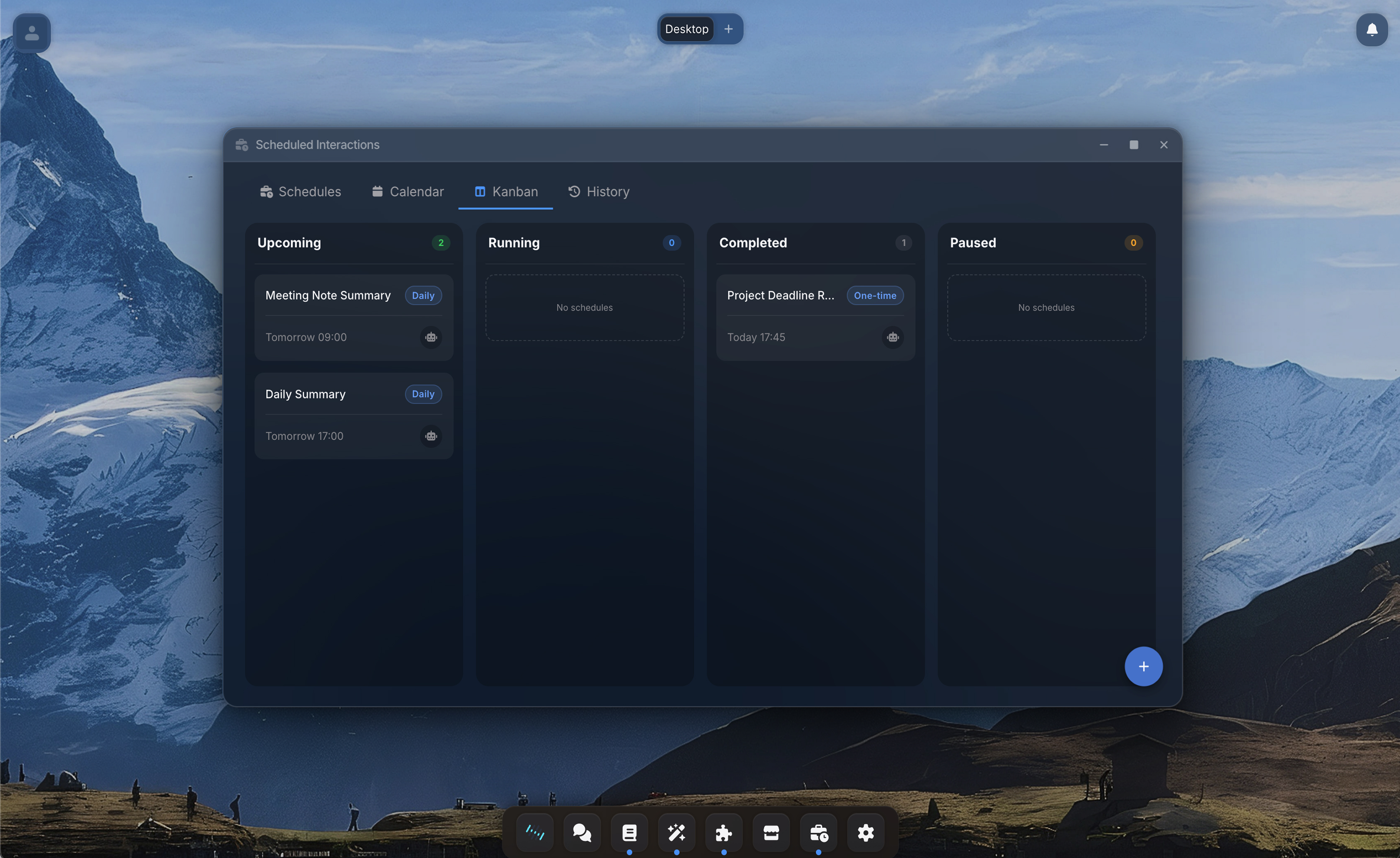
Scheduled

One conversation
became an automation.

You asked your agent to check the sales pipeline. It worked. So you said: "Do this every Monday at 9am." Now it does. It runs, reports back, and waits for your approval when something needs a decision.

Start FreeBook a Demo
Conversation transitioning into a scheduled interaction card
Vaults
Agent Studio
Apps
Computer
Connections
Desktop
Marketplace
Scheduled
Security
Scheduled
Capabilities

Automate without building workflows.

Tell your agent to repeat what worked. It handles the rest.

01

Schedule it from the conversation.

When a task works well, tell the agent: "Do this every Monday at 9am." The agent creates the schedule, lists the tools it needs, and asks for your approval. One sentence turns a conversation into a recurring automation.

Conversation
Schedule
02

You decide what runs unattended.

Each schedule has a tool allowlist: the tools you have explicitly approved to run without asking. If the agent encounters something outside that list during execution, it pauses and sends you an approval request. You approve or deny directly from the notification. The agent never takes actions you have not sanctioned.

TOOL PERMISSIONS
Gmail Send
Allow
HubSpot Read
Allow
Slack Post
Deny
Requesting approval
03

Every run is a full conversation.

Scheduled executions are real chat sessions. The agent reasons, calls tools, and produces results exactly like a manual conversation. Every run has a full transcript you can open and review: which tools were called, what data was read, what decisions were made, and what the agent wrote back.

Write Weekly Report
04

Results come to you.

When a scheduled run finishes, the agent sends you a summary with the key findings or actions taken. Notifications arrive in-app or by email, configurable per schedule. You see what happened without opening Team Assistant.

Outcome
By email
In-app
notification
Desktop
alert
How It Works

From conversation to automation in one sentence.

1

Have a conversation

Ask your agent to do something: check emails, pull a report, update a document. The agent does the work. You see the results.

2

Tell it to repeat

"Do this every Monday at 8:30am. Email me the summary." The agent proposes the schedule and tool allowlist. You approve.

3

It runs in the background

At the scheduled time, the agent runs a full conversation: same reasoning, same tools, same transcript. If it needs something outside the allowlist, it pauses and asks.

4

You get the results

A notification with the summary. If credentials expired or something unexpected happened, the agent tells you instead of failing silently.

Under the hood

Built for technical teams.

Click to expand each section.

  • Exactly-once execution guaranteed across multiple server instances via leader election.
  • Schedules run in the user's timezone. Month-end dates are handled automatically (e.g. the 31st runs on the 30th in shorter months).
  • If a previous run is still in progress, the next one is skipped to prevent overlap.
  • Each schedule has its own tool allowlist. Only approved tools run unattended.
  • If the agent needs a tool outside the allowlist, it pauses and sends an approval request.
  • Scheduled runs use the owner's identity and permissions. Approvals are scoped separately from manual chats.
  • Results delivered via in-app notification, notification center, or email. Configurable per notification type.
  • Approval requests are actionable: approve or deny directly from the notification.
  • Token usage and cost tracked per run for budgeting and cost projection.
In practice

Weekly sales pipeline review, fully automated.

A sales lead at a mid-size B2B company spends 30 minutes every Monday morning pulling pipeline data from HubSpot, cross-referencing it with email threads in Gmail, and writing a summary for the weekly standup.

She opens Team Assistant and asks her agent: "Pull the current sales pipeline from HubSpot, check Gmail for any replies from the top 5 deals, and write me a summary with action items." The agent does it in under a minute.

She says: "Do this every Monday at 8:30am. Email me the summary." The agent creates the schedule, lists the tools it needs (HubSpot read, Gmail read, email send), and asks for approval. She approves.

Every Monday at 8:30am, the agent runs. It pulls fresh pipeline data, checks for email activity, and sends her a summary: "3 new leads, 1 deal moved to negotiation, action needed on Acme Corp (no reply in 5 days)." She walks into the standup prepared. If HubSpot credentials expire, the system pauses and asks her to re-authenticate.

Explore more
Agent Studio
Build agents before scheduling them
Desktop
Monitor and manage agents manually